Your Computer Is Lying to You. (And That’s a Good Thing)
A UX designer's day rarely looks like "designing." It's competitive analysis, pulling apart other products to see what they get right and wrong. It's information design and content strategy, deciding what a player needs to know, when, and in what order. It's user stories and journey mapping and accessibility standards. But spend enough time and years doing this and quieter deeper question starts arising.
1: The Illusion of Simplicity
I recently downloaded OpenClaw hoping to streamline my daily workflow, but a simple quest to automate my emails quickly spiralled into a weekend long obstacle course of terminal commands, Linux server errors, and 2:00 AM Troubleshooting sessions. Staring at the screen, neck-deep in a server backend I had to ask myself: Wasn't tech supposed to make our lives easier? Incredibly frustrating for a non-tech person like me, but it helped me see the staggering amount of layers hidden beneath a simple prompt field that can have a conversation with you. Complexity masked by simplicity. A beautiful lie.

In 1981, author William Gibson saw a group of teenagers playing arcade games and noticed how intensely focused they were on the screens. He realized that even though their physical bodies were in the real world, their minds were entirely somewhere else in a shared, imaginary, digital space. It was a 'consensual hallucination' that he would later call cyberspace. What makes this even wilder is that when Gibson predicted the modern internet but he didn't actually know anything about computers. He eventually expanded this brilliant concept into his groundbreaking 1984 novel, Neuromancer.
"Cyberspace. A consensual hallucination experienced daily by billions of legitimate operators, in every nation..." from Neuromancer by William Gibson 1984
When you drag a file into the "Trash," nothing actually is being destroyed. It’s an abstract dance of pixels. Your folders are not really folders. Your computer is gaslighting you. Computers don’t actually have files they have binary code. Cold mathematics turned into something humans can comprehend.
A developer in a terminal, a designer in Figma, and a player in Skyrim are all doing the same thing: navigating a shared, layered hallucination. The CLI user is just closer to the engine. The gamer is further into the dream.

UX is the architecture of consensual hallucination, and game designers are its master puppeteers. Take Grand Theft Auto’s Vice City: when you walk down the street, everything behind your character literally ceases to exist. To save memory, the engine only renders what is directly in your field of view. It’s called frustum culling. The computer must aggressively delete the world behind you just to survive.
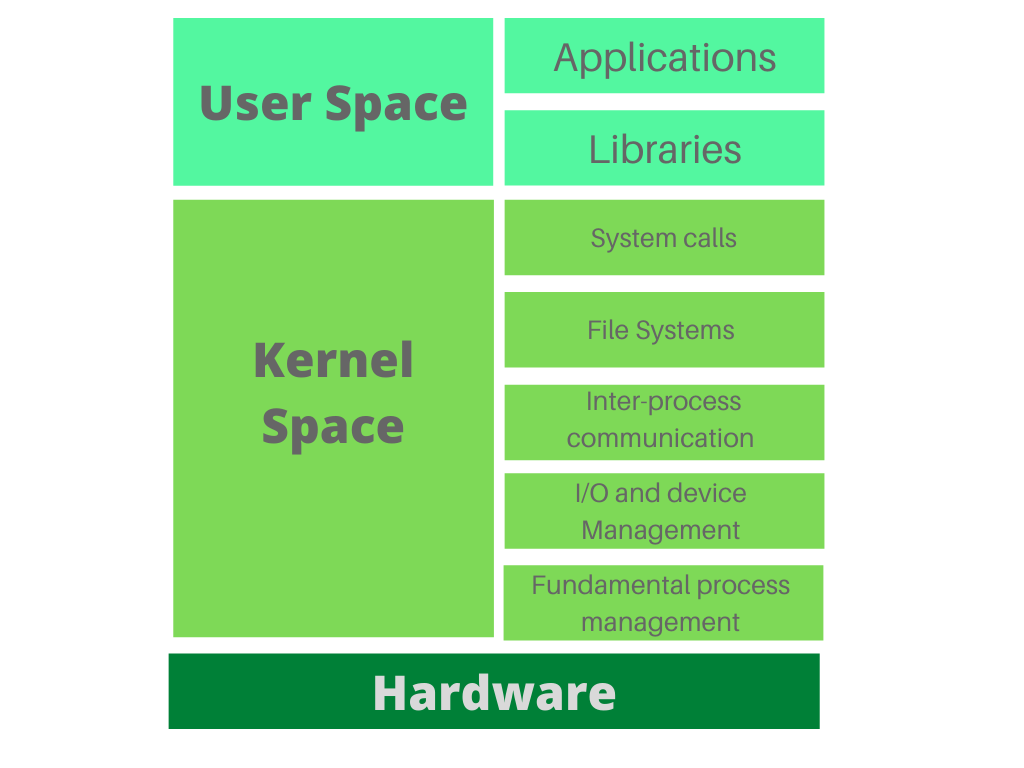
The reality is that as a user, you never actually see or touch or interact with the core of a computer. Everything you interact with, icons, windows, files, even the command line is just a facade. Behind that facade, the kernel is doing all the real work, but it's hidden from you.
Think of it like this:
You click a "Save" button.
The abstraction makes it feel like you're saving a file to a folder.
Reality: The app asks the kernel (via system calls), the kernel talks to the file system, the file system talks to the driver, the driver talks to the hard drive. You never see any of that complexity.
So everything you see as a user is a simplified, user-friendly illusion created by the operating system. The kernel manages the messy reality, and presents you with clean, understandable abstractions. This is the fundamental reality of human computer interaction.
Now do you want the blue pill or the red pill?
2: The Limits of the Language
In the same way the kernel hides the messy reality of hardware, a large language model (ChatGPT, DeepSeek) hides the messy reality of language understanding and generation.
What you see:
A chatbot that understands you, remembers context, responds naturally, and has a personality or tone.
What's actually happening underneath:
Math. Lots and lots of math.
Probability calculations over billions of parameters.
Pattern matching across massive amounts of training data.
No real understanding, memory, or consciousness, just statistical prediction what words should come next.
Natural language as a UI is a major paradigm shift. Delightful but it has its flaws. Language is a clumsy translation layer, slow, linear, and ambiguous. Try describing a complex UI layout word by word instead of just dragging it and you can't express three ideas at once like you can with a dashboard. Ambiguous? Say "book me a flight to Paris" and the system doesn't know if you mean France, Texas.
The challenge isn't building systems that understand English. The challenge is building systems that understand us
3. FROM RECOGNITION TO recall to ARTICULATION
Early human survival required immense mental processing. Our ancestors navigated with out a map, memorise epic oral stores, carrying a staggering cognitive load in their heads. Modern UX design aims for the exact opposite: absolute friction reduction. We design interfaces so users don't have to remember how things work. Recognition over recall.
We flatter ourselves by assuming that better technology makes us smarter, but in reality it’s a shift in brainpower. Our ancestors used deep, practical intelligence to map physical worlds. We burn our neural energy filtering notifications and managing digital user flows. We aren't smarter; our cognitive capacity has simply been reallocated from memory to recognition of digital system UI .
Now, AI is turning natural language into the universal command line, do we even need to know how to build the bridge. Or do we just have to point to the other side.
We spent 40 years trying to remove friction from the internet. Now that AI has finally achieved it, why does the result feel so hollow?
4. Abstraction
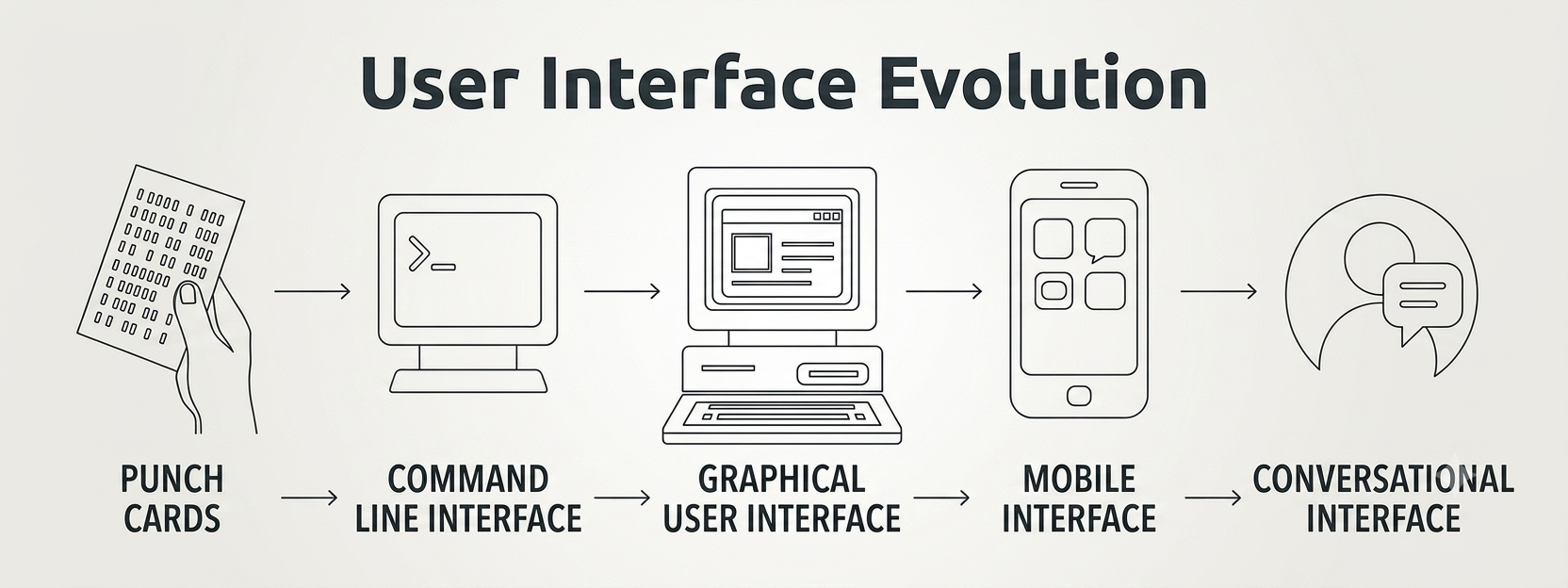
For decades we taught people the language of computers, save, download, copy, folder, file. Forcing the fluid human mind to live inside a rigid, digital grid. So designers aimed to do one thing reduce friction between the users and the machine. We built clear affordances, menus and buttons. The user clicked and the system did exactly what they wanted.
AI is another layer. It promises to remove the last bits of friction. No commands. No menus. No folders. Just intent. Say what you want. Get what you need.
But this layer doesn't just hide complexity. It hides the steering wheel. A button feels good not because it's efficient but because you pressed it. You were the cause.
Every abstraction layer before AI preserved a direct causal link between user action and system response. Click → file opens. Drag → file moves. Type → character appears. The mapping was clear, even if the underlying complexity was hidden.
AI breaks this link. Prompt → response. But the path between them is opaque. The user didn't cause the response in any meaningful sense. They triggered a process that produced an output. Those are different things.
This matters because agency isn't a luxury feature.
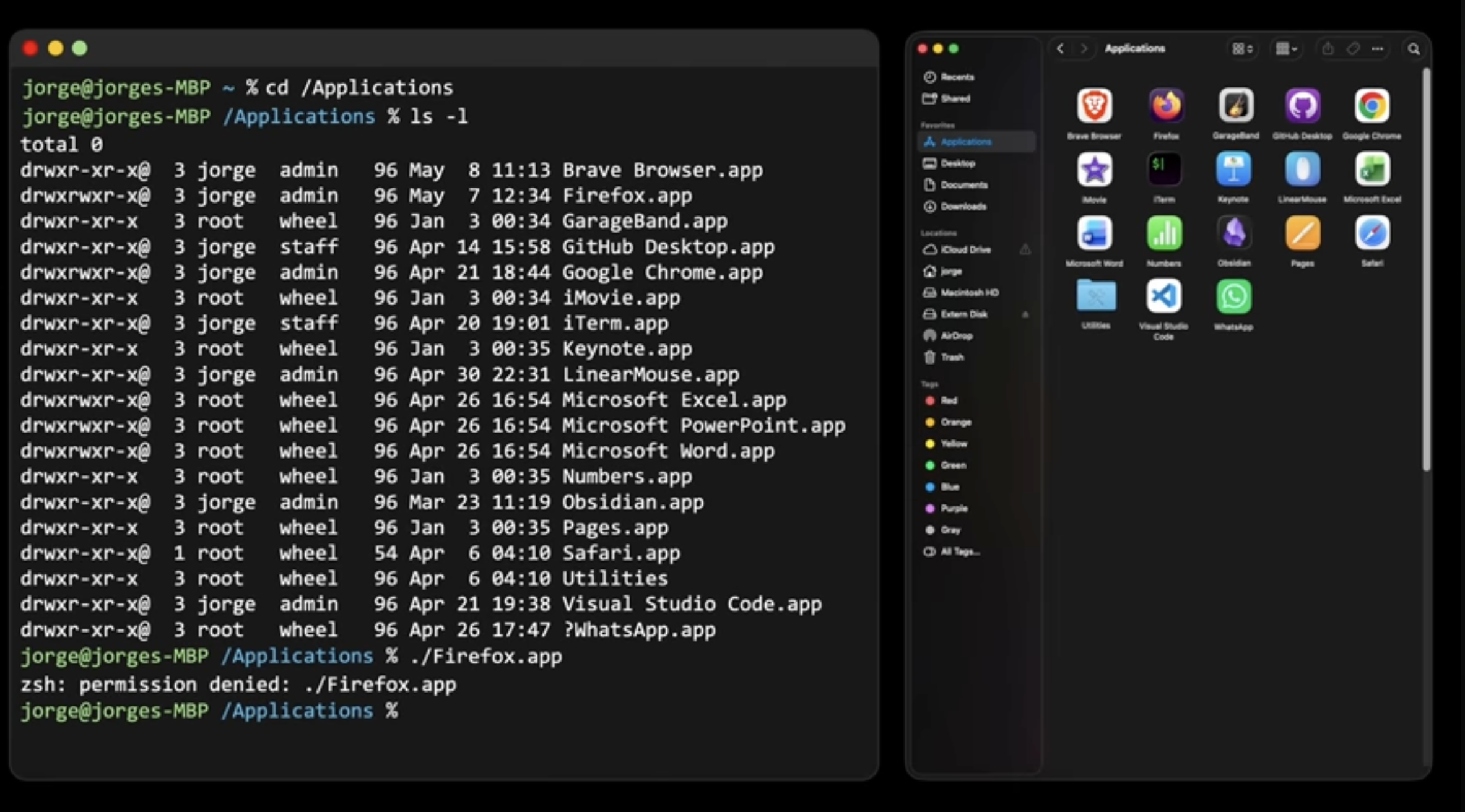
Then came AI. Suddenly the machine doesn't want you to know the steps. It just needs to know your intentions. You don't need to know what Gaussian blur is. You say "make the background blurry." The machine fills in the gaps. And it works like Magic.
For decades “Don't Make Me Think” was the UX gospel. Every click should be obvious, every action simple. But AI prompting doesn't want you to recognise buttons; it wants you to articulate intent. And articulating what you actually want is infinitely harder. I think in a similar way in UX We are seeing a shift from "Don't Make Me Think" (Recognition) to "Make Me Articulate" (Recall/Intent)
This changes the designer's job. You're not only arranging buttons. You're crafting a fluid conversation across systems and inputs such as voice, touch and click. Luckily Games have done this for years. Everyday AI interfaces are finally catching up.
The deeper question is whether we can design AI interfaces that preserve the feeling of making something happen rather than asking for something and hoping. No one has solved this yet. Most people in AI haven't even admitted it's a problem.
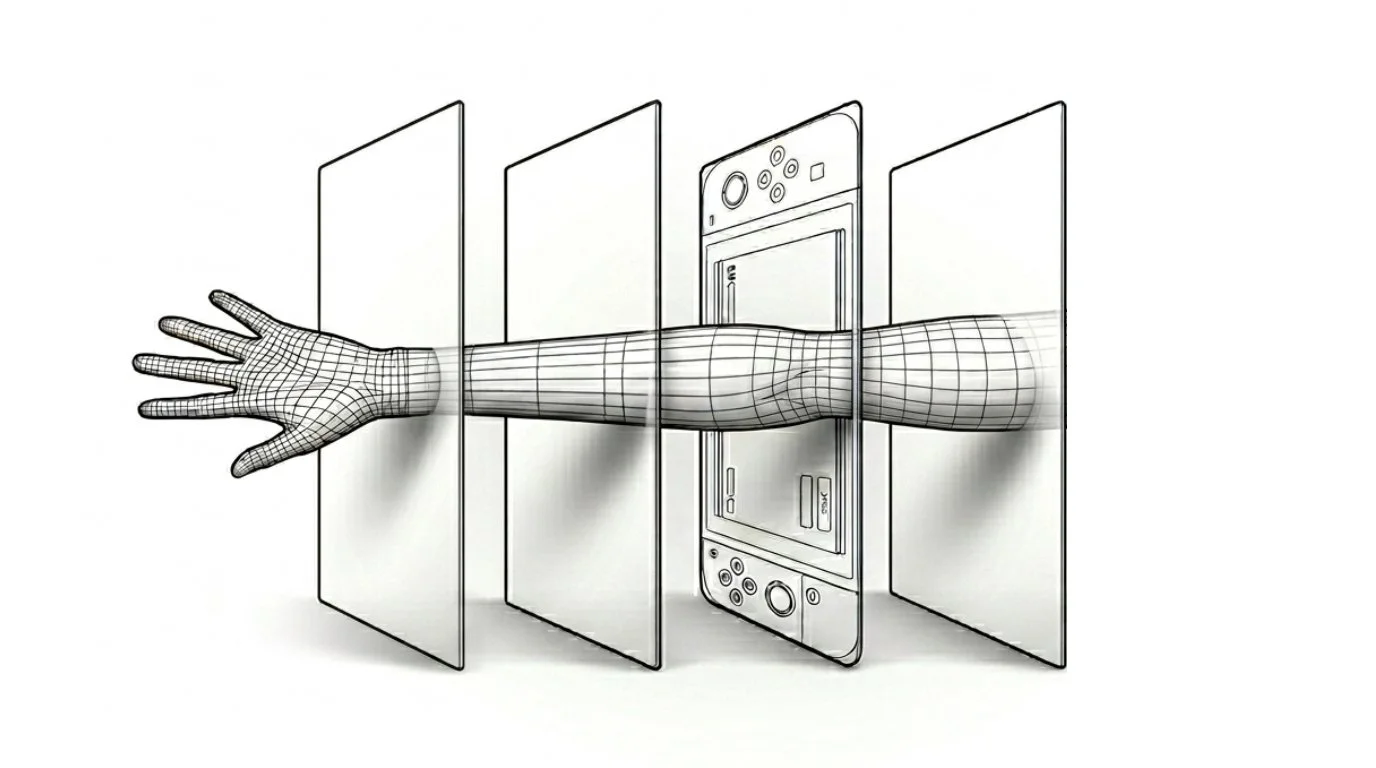
What changed: AI made the modes like voice, gesture actually useful for real work. Not just novelty. Not just commands. But real generative outputs and back-and-forth collaboration. Now a knowledge worker can voice-search, prompt-generate, click-refine, and touch-scroll all in three seconds. That wasn't possible five years ago.
The UX implication: Design is not going anywhere but the challenges has changed. We need to stop designing for 1 input or tasks or assuming and think about flow across modalities handling vague intentions.
The deeper insight: Modal Fluidity isn't a feature. It's a new baseline assumption. Users will mix modes. Design for the mix experiences.
5. CASE STUDY: The "What's a Computer" Generation
The iPad didn't just open a new device category it for Apple but it shifted the paradigm shift toward pure, app-focused experiences.
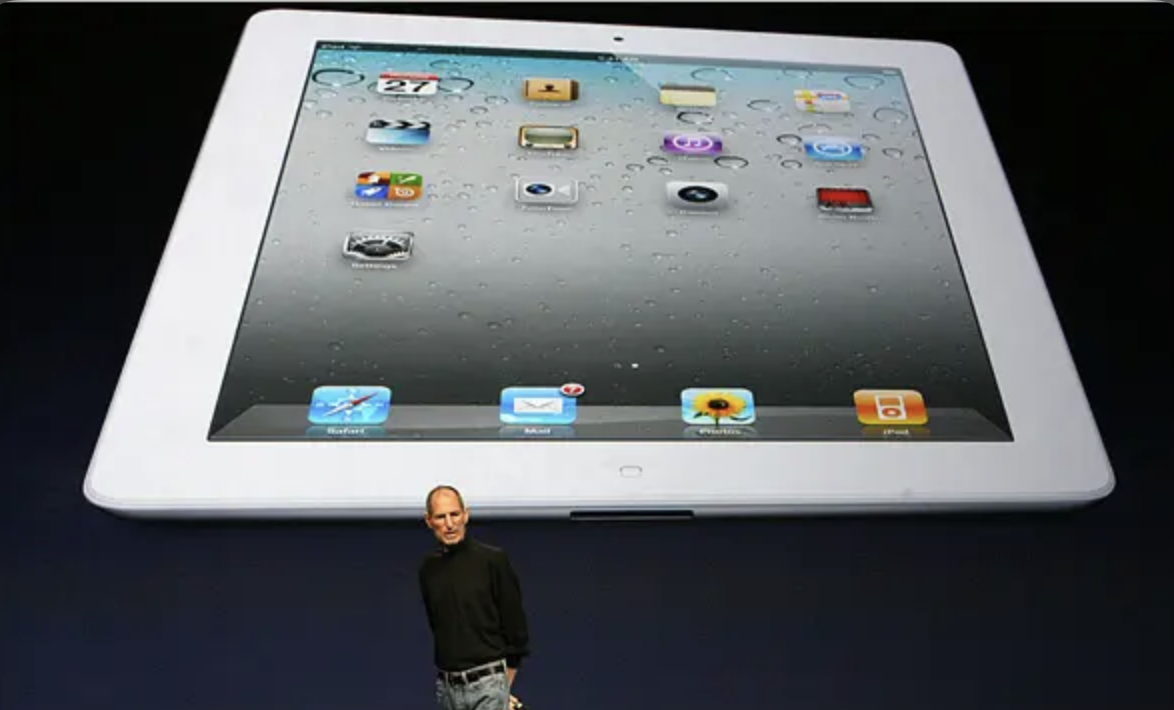
The magic of the iPad was how it removed the file system entirely. Open an app. Do the thing. Close the app. The file just… exists. Somewhere. You never choose a folder, and you never hit "Save As."
High school teachers now note that Gen-Z students raised entirely on touchscreens struggle to understand the mechanics of a traditional computer mouse. Put a mouse in front of them, and they often lift it off the pad, struggle to double-click, or reach directly to tap the glass screen.
To them, the mouse is an awkward, ancient translation layer. They grew up with direct finger-to-glass interaction. No middleman.
What was lost: The mental model of the filing cabinet—folders inside folders, naming conventions, and a concrete sense of digital topography.
What was gained: Freedom from organization. The machine remembers for you. Search, don't sort.
But as we move into a world dictated entirely by searching rather than sorting, we lose our sense of digital "place." If high-precision manual control (clicking and dragging) becomes a niche skill, it changes how humans conceptualize their digital workspace.
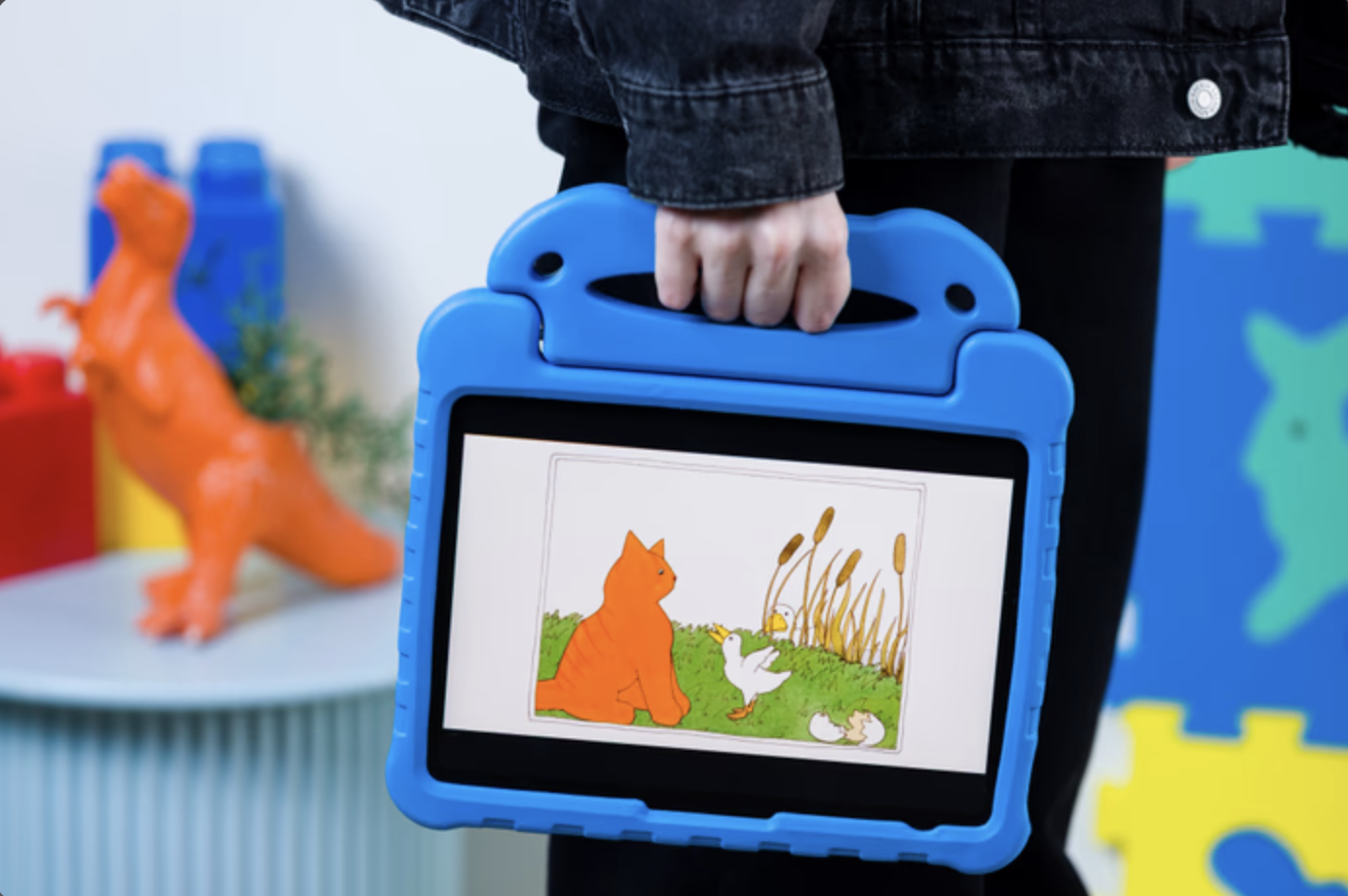
iPad as an important milestone in UX design.
Here's what was lost: the mental model of a cabinet. Folders inside folders. Naming things so you can find them later. A sense that your stuff lives somewhere specific. " What's a computer? " wasn't just kids being cute. That was honesty. A computer, to them is box where you organize things. But a iPad is a thing that just does what you want.
Here's what was gained: freedom from all that. No more deciding. No more filing. No more "wait, where did I save that?" The machine just remembers for you. Search, don't sort. Trust, don't organize.
If we move 'Search, don't Sort' in a iPad style world, how do we design interfaces that give users back a sense of digital 'place? Will The Cursor be a Luxury? Why high-precision manual control (clicking/dragging) is becoming an elite skill?
6. THE CORE INSIGHT: The Zoom of Intent
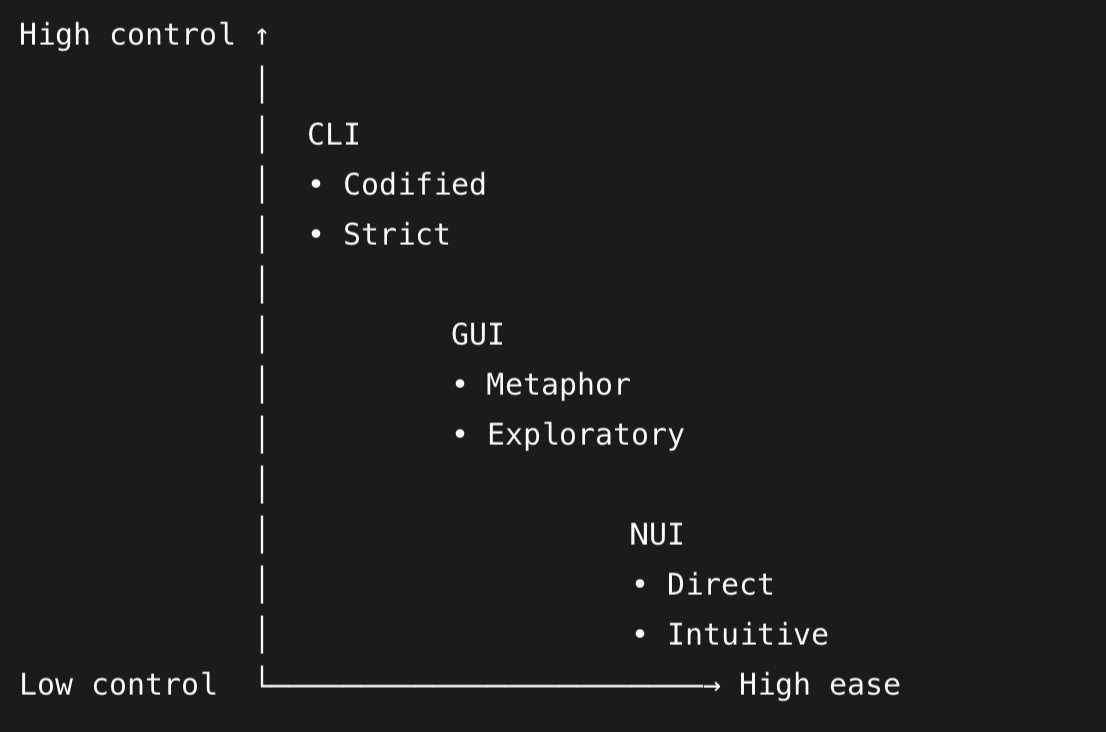
The insight: As you get clearer about what you want, your interface should zoom with you. from wide, fuzzy inputs to tight, precise controls.
Start far away. You don't know exactly what you need. You speak a vague intention. "Make a flyer for a garage sale." Wide. Fuzzy. Fast.
The AI returns something. Now you see it. Now you know what you don't like. You zoom in. You click a headline. You drag an image. You type a price. Precise. Deliberate. Manual.
Then you zoom back out. "Make the whole thing feel more playful." Voice again. Wide again. The cycle repeats. Like A camera lens. Wide angle for exploration.
Why it matters for UX: Most interfaces force you to commit to a zoom level upfront. Voice-only apps keep you wide. Manual-only apps keep you tight. Neither respects that clarity is dynamic. You don't know what you want until you see what you don't want. The interface should zoom with your growing clarity.
The pattern: Seamless zoom. Voice to explore. Touch to land. Click to edit. Voice to reframe. The interface doesn't care how you talk to it. It just follows your focus.
The anti-pattern: Fixed resolution interfaces. Apps that say "voice mode" or "edit mode" as if you can't do both in the same breath. Even you phone can take video and pictures at the same time.
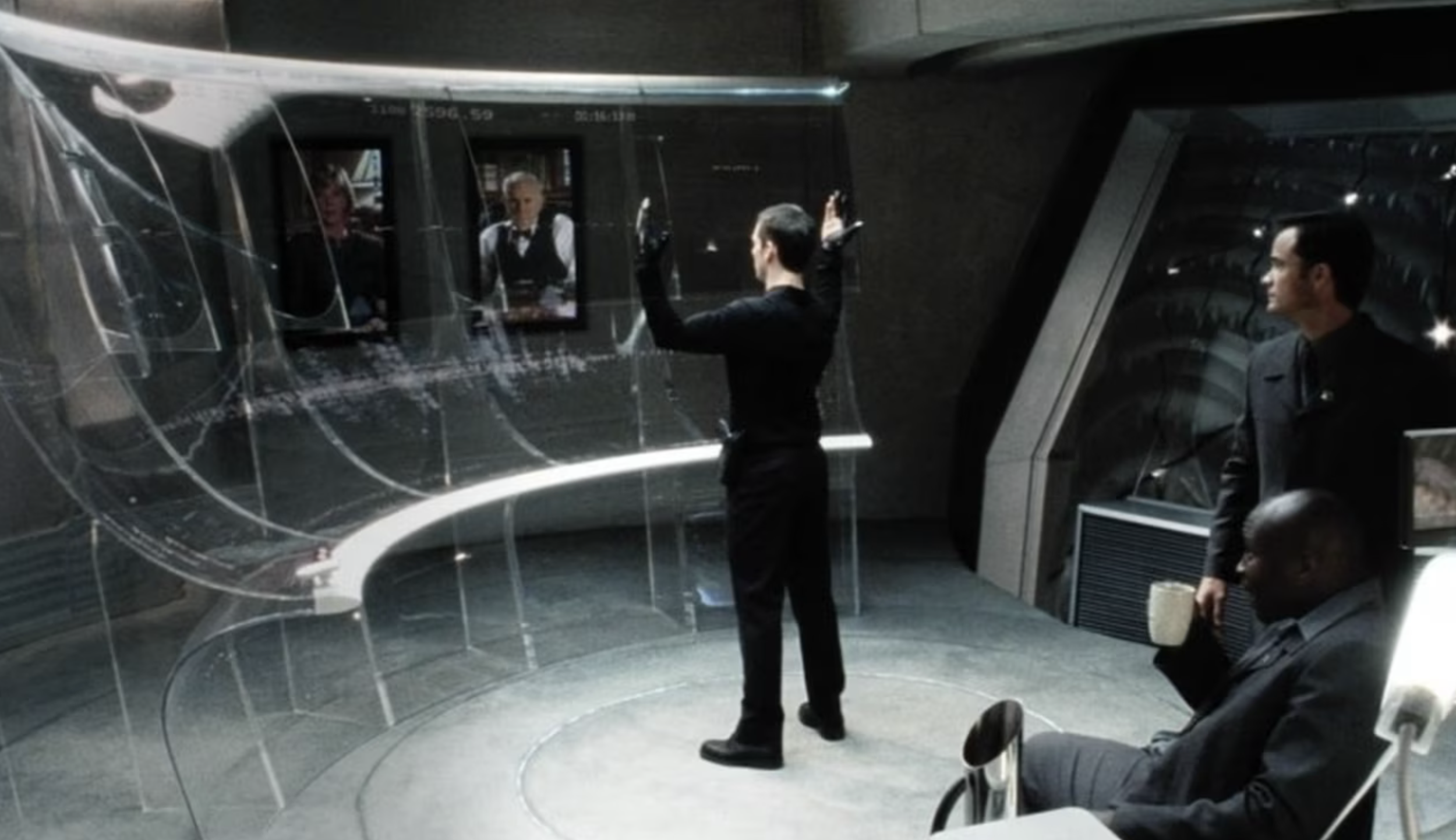
Minority Report 2002
The interface should mirror your cognitive process:
When intent is broad and fuzzy, the canvas expands into an ambient, conversational space.
When you lock onto a detail, the interface snaps into high-precision, surgical controls.
By abandoning the silos of "prompting" versus "editing" apps, we can create a fluid, responsive environment. To build this dance, we must first map human psychology to the four distinct distances of digital space.
How would you like to explore those four distinct distances?
Conclusion
Long before software engineers hid terminal commands behind slick user interfaces, philosopher Oswald Spengler noted that Modern civilisation had an obsession with abstraction. While ancient Greek culture needed tangible, physical objects like physical coins you could hold in your hand. Modern culture has been evolving toward abstract concepts like credit, and paper wealth. Software design is simply the latest chapter in this historical trajectory.


We spent over forty years trying to remove friction from the machine, and now that we have finally achieved it, the result can feel strangely hollow. By removing the obstacles, we accidentally removed our own sense of contribution. How do we design systems that handle vague intentions without stripping away our control, you are the one pulling the strings.